

Introduction #
Qilowatt supports various heat pump models that can be integrated for smart control and energy optimization. Below are the guidelines on how to choose the right solution and what to keep in mind during installation.
Prerequisites #
• Make sure your heat pump model is supported by Qilowatt → contact the Qilowatt team at support@qilowatt.eu
• All electrical connections must be carried out by a certified electrician
• Installation can also be ordered through Qilowatt
• All electrical connections must be carried out by a certified electrician
• Installation can also be ordered through Qilowatt
Step-by-step Guide #
1. Check model compatibility
• Ensure that your device is supported by Qilowatt.
2. Electrical connections
• All electrical work must be performed by a certified electrician.
• If you don’t have an electrician available, you can order the installation directly from Qilowatt. Contact us to agree on the time and place.
3. Which device should I choose?
• If you want to save energy → choose S1 or S1 PRO.
Suitable for potential-free control of electrical devices.
Allows safe control of compressor-type devices without damaging them.
• If you want to save energy and earn money → choose the Smart Power Meter 3EM.
Measures energy consumption and controls devices potential-free.
Enables additional income by participating in the flexibility market through reduced energy consumption.
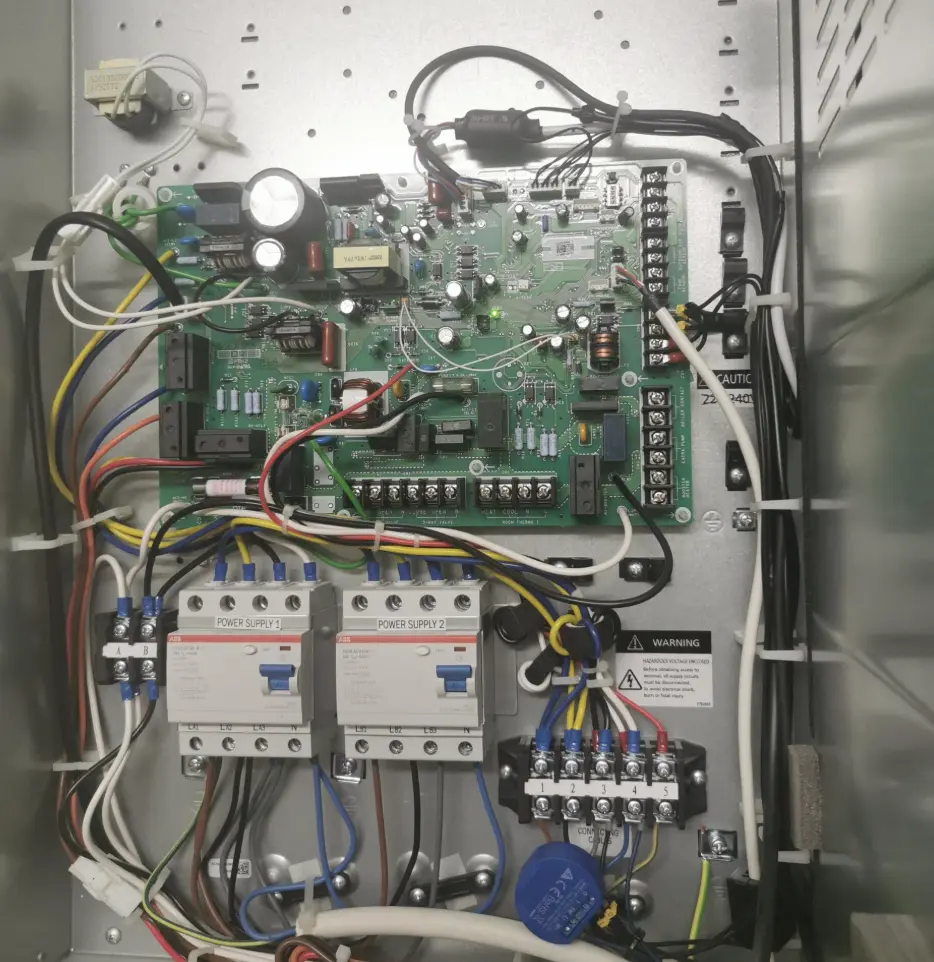
4. Installation example
• Ensure that your device is supported by Qilowatt.
2. Electrical connections
• All electrical work must be performed by a certified electrician.
• If you don’t have an electrician available, you can order the installation directly from Qilowatt. Contact us to agree on the time and place.
3. Which device should I choose?
• If you want to save energy → choose S1 or S1 PRO.
Suitable for potential-free control of electrical devices.
Allows safe control of compressor-type devices without damaging them.
• If you want to save energy and earn money → choose the Smart Power Meter 3EM.
Measures energy consumption and controls devices potential-free.
Enables additional income by participating in the flexibility market through reduced energy consumption.
4. Installation example
Result #
After choosing the right device and completing the installation, the heat pump is connected to the Qilowatt system. This allows you to optimize energy use and participate in the flexibility market.


